You can easily contact us through our chat function on www.staffers.no.
The chat icon is located at the bottom right corner of the page.
You can also reach us through the in-app messaging function.
To help us assist everyone efficiently, please keep the following in mind:
Please avoid opening multiple chat conversations
Our support team manually reviews all messages
One of our consultants will respond as soon as your message is seen
We receive a high volume of inquiries daily, and we appreciate your patience
Open the app and tap the “S” logo
Select Messages
Tap the green “Send us a message” button
Aura will greet you, our AI bot
Type “Talk to support” to be connected to a live agent
📌 Please describe your issue clearly and in detail so we can assist you faster.
Response times may vary, but we will get back to you as soon as possible.
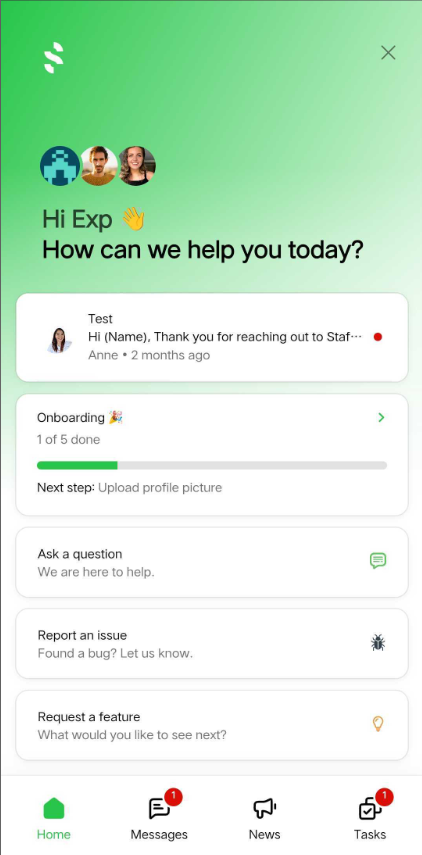


If you’re experiencing a technical issue, please submit a bug ticket instead of opening multiple chats.
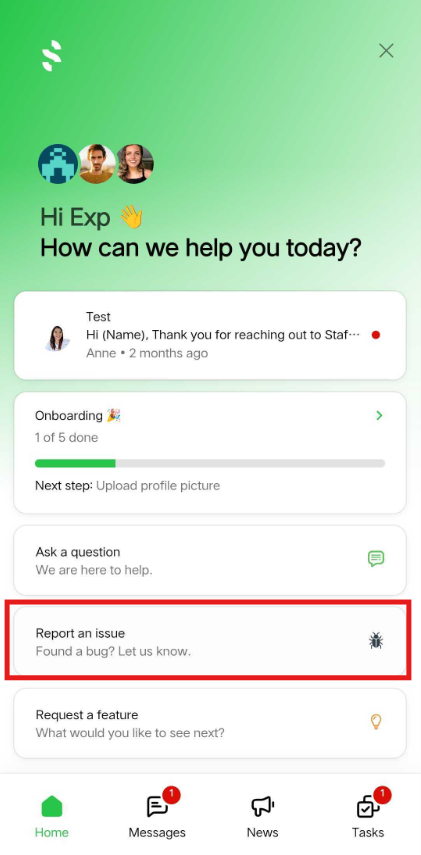
Tap the “S” logo in the app
Select Report an Issue
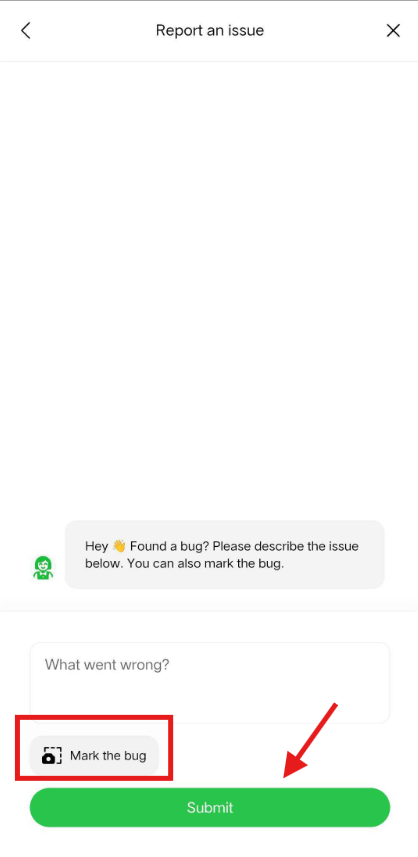
Describe the technical issue in detail
Upload a clear screenshot showing the issue
Click “Mark as Bug”
Submit your report
Our team will review your ticket and follow up as soon as possible.
For urgent issues, you may also contact us by phone:
📞 +47 703 10 111
Thank you for your patience and for helping us support the Staffers community efficiently 🌟
The icon looks like this: